Connecting Readers - How the Social Feed Works
Reading is personal, but it's also communal. We finish a book and immediately want to turn to someone and say, "Can you believe that ending?!" I'm building the Social Feed for Booklynx to make that moment easier.
What is the Feed?
It's not an algorithm trying to sell you things. It's a simple, chronological timeline of your friends' reading life:
- Status Updates – "Sarah started reading Dune."
- Progress – "Mike is 50% through The Martian."
- Reviews – Read your friend's thoughts the moment they post them.
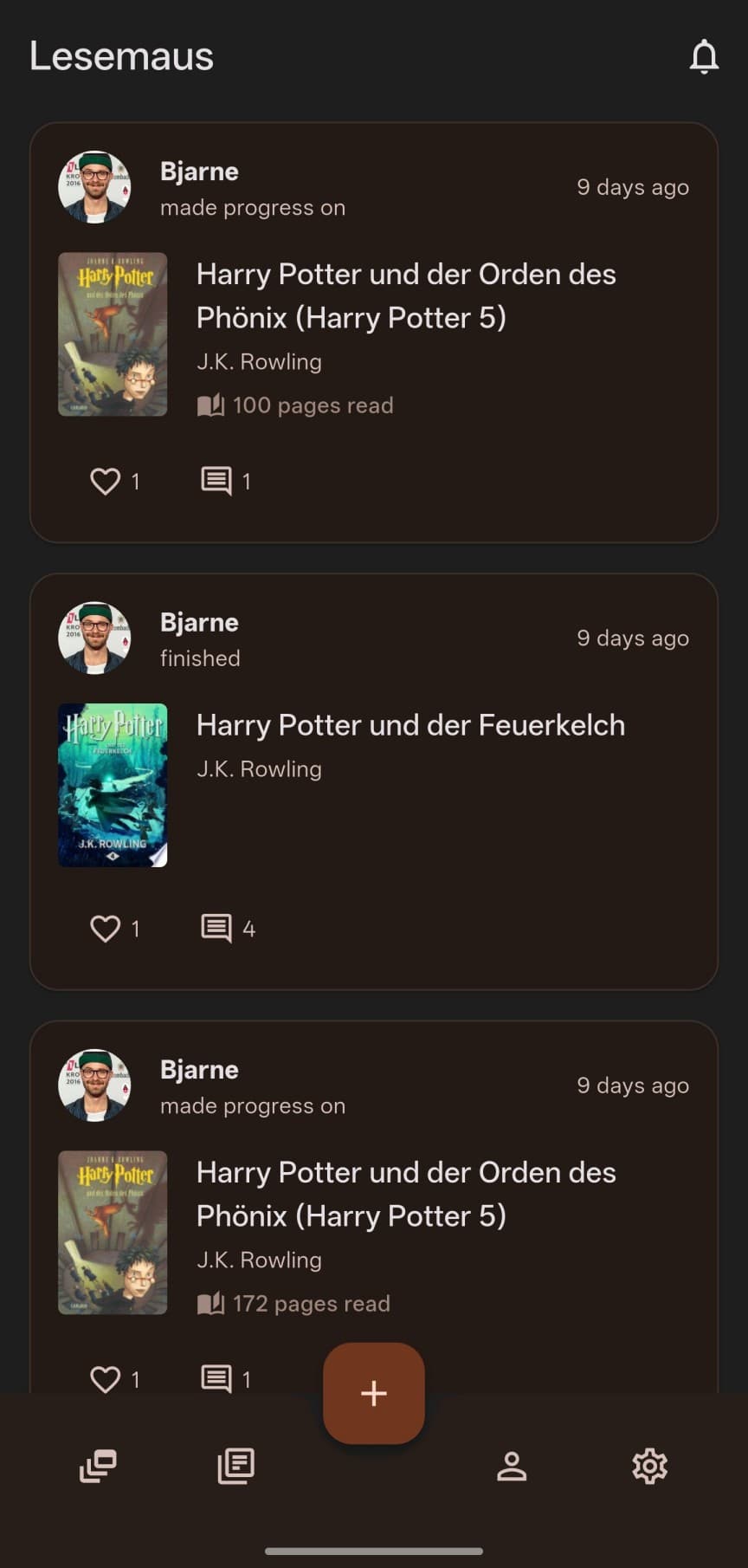
No algorithms
The Technical Challenge: Real-Time Updates
Making this feel "live" is tricky. When you "like" a review, I want your friend to know instantly.
To do this, I use Cloud Functions. Think of these as little robot assistants that live in the server.
- You tap "Like".
- Your app tells the database.
- A robot assistant wakes up, sees the new "Like", and calculates the new total.
- It then sends a Push Notification to your friend's phone: "Alex liked your review!"
Mentions & Tagging
I am also working on "Mentions". Soon, you'll be able to type @ in a comment to tag a friend. This requires complex logic to ensure I only show you friends you actually know, keeping the community safe and private.
Coming Soon
What's Next?
I am currently testing these features internally. The biggest hurdle is ensuring that if you follow 500 people, your phone doesn't explode with notifications.
I'm building "grouping" logic to keep things tidy:
- Instead of 5 separate notifications, you'll see: "5 friends liked your review"
- Quiet hours so you're not disturbed while reading
- Customizable notification preferences per activity type
I can't wait to see what you start discussing!
Be the first to connect
Join the beta and help test the social features. Your feedback shapes how readers connect.
Join the Beta